Install the WordPress software theme
Upload the ZIP from Appearance - Themes - Add New - Upload Theme. Activate it and Jeevi creates the public website, secure app, login, pricing, guided demo and support pages.
Use these articles to connect approved marketing platforms, inspect the demo workspace and configure Jeevi around the way your marketing operation actually works.
Upload the ZIP from Appearance - Themes - Add New - Upload Theme. Activate it and Jeevi creates the public website, secure app, login, pricing, guided demo and support pages.
Use the dedicated Login page with a WordPress user account. New customer workspaces start empty. After setup, the guided tour explains each area and then helps you connect your real marketing channels.
Administrators can set organization, currency, business units, locations, default client, campaign owner, service levels and client portal settings from Admin Studio.
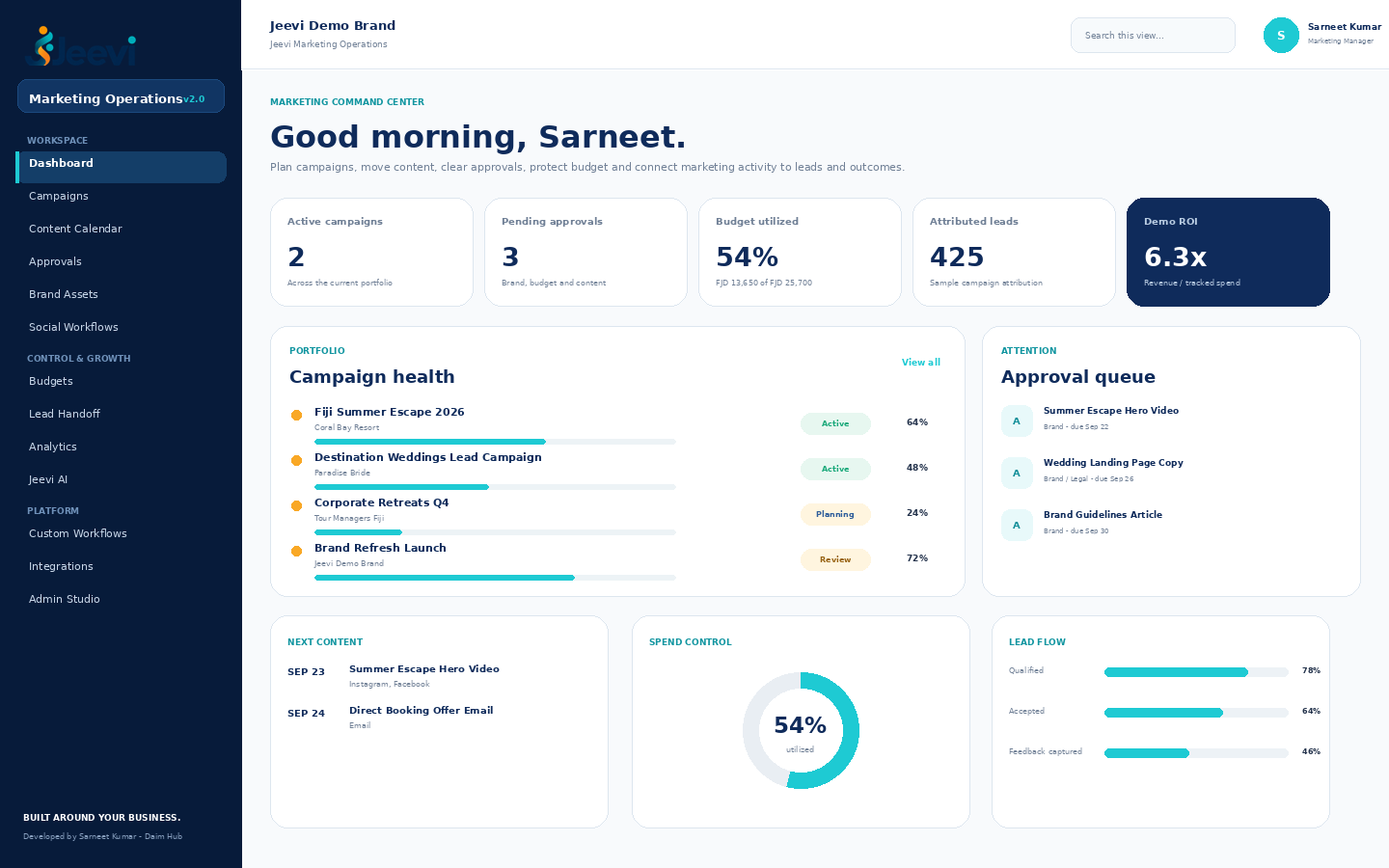
Capture campaign objective, client, owner, status, budget, channels and dates. Content and leads can be linked back to the same campaign record.
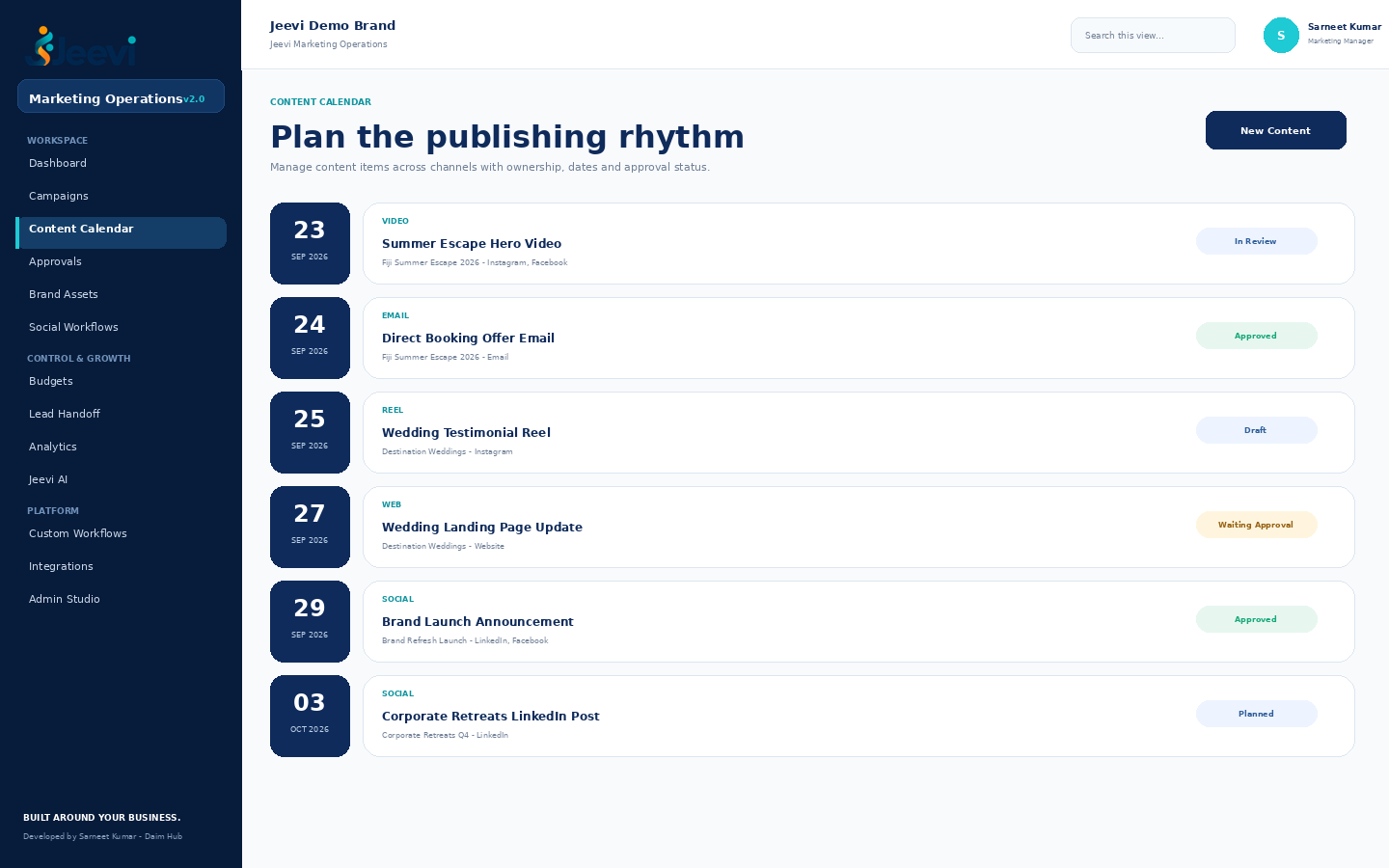
Add content with campaign, type, channel, owner, publish date and status. Use the calendar view to coordinate upcoming delivery across teams.
Start with one master message and creative. Jeevi prepares platform-specific drafts for Facebook, Instagram, LinkedIn, X, Pinterest and Google Business while keeping human approval explicit.
Track asset type, brand/client, version, tags, approval state and external DAM or file reference so teams can find the approved source.
Create brand, budget, legal, content or client approvals with a named approver and due date. Record approval or requested changes with a decision note.
Maintain campaign budget and tracked spend. Use integrations where ad platforms or finance systems are the authoritative source for actuals.
Administrators enter the App/Client ID and secret for Meta, LinkedIn, X, Pinterest, Google and Canva. Jeevi displays the exact OAuth callback URL that must be registered with each provider.
After credentials are configured, connect approved Pages, profiles, business locations and ad accounts. Map each connection to its client or brand.
Use one Meta developer app to authorize Facebook Pages, linked Instagram professional accounts and advertising accounts according to the permissions approved for your app.
Connect LinkedIn only after the required Community Management access is approved. Jeevi can store and compare authorized organization accounts and available metrics.
Authorize each client account through OAuth. Pinterest requires a mapped default board for publishing. X publishing and analytics depend on the API access tier assigned to your developer project.
Authorize with Google OAuth. Jeevi discovers accessible Business Profile locations where the approved Google project permits it, stores the local-post resource, and syncs Performance metrics such as Search/Maps impressions, website clicks, calls and directions.
Connect Canva, browse live designs, open a design in Canva for editing and export selected creative back into the Jeevi asset workflow.
Use platform-authorized accounts as the source of truth for spend and advertising metrics. Jeevi normalizes the management view and connects results to campaigns. For Google Ads accessed through a manager account, map the Manager Customer ID on the Social Accounts card.
Store voice, audience, approved phrases, forbidden claims, preferred CTA and SEO terms so channel-specific drafts start closer to the client's real brand.
Create a handoff record with campaign, source, sales owner, estimated value and status. This creates a feedback loop between demand generation and sales follow-up.
The demo shows spend, attributed revenue, leads, campaign comparison and source distribution. Replace sample values with connected source-system data during deployment.
Assign the Jeevi Client Portal role and client key to a WordPress user to restrict their view to matching campaigns and shared brand assets.
Without an API provider, Jeevi AI returns structured offline planning guidance. Administrators can connect an OpenAI-compatible chat endpoint and model from the secure app.
AI can draft, summarize, repurpose and review, but budgets, material claims, policy exceptions and publishing approvals should retain named human ownership.
Administrators can create workflow templates with named stages, a target SLA and an approval requirement. Extend the framework further during implementation.
The Integration workspace includes CMS, Meta Ads, Google Ads, Analytics, Email, CRM, Canva/DAM, Social, Slack/Teams and Finance starting points.
Authenticated users can read campaign and calendar data from /wp-json/jeevi-marketing/v1/campaigns and /wp-json/jeevi-marketing/v1/calendar.
For each connected field, decide which system owns the authoritative value. Jeevi can orchestrate, enrich and report without silently replacing the source system.

Yes. The framework is intended to be configured around the business. The included views are a strong starting point rather than a requirement to copy one fixed operating model.
Yes. Social networks, Google Ads, Google Business and Canva use dedicated platform connections, while CRM, email, CMS, analytics and finance connections can be configured around the customer environment and declared sources of truth.
Yes. Campaigns and assets include client/brand fields, and the client portal model can be used to restrict external access to matching records.
Version 3 includes OAuth connections and selected direct publishing flows. Facebook Pages, linked Instagram professional accounts, X text posts, Pinterest image Pins, mapped Google Business locations and LinkedIn Company Page text posts can publish when the required credentials, scopes and platform approvals are granted. LinkedIn/X media upload, full ad creation/editing and some advanced capabilities remain separate implementation phases.
The Unified Inbox workspace and record model are included, but live cross-network message/comment ingestion is not represented as complete in v3. Each network requires its own webhook or conversation API permissions and, in some cases, advanced app review. Connect and approve those capabilities before enabling client inbox operations.
Yes. Discovery can identify new workflows, portals, automations, integrations or a completely new Jeevi application built around the required business outcome.
Request a demo and tell us how campaign requests, approvals, content, budgets, clients and lead handoff work today.